
1) log into Vera web portal through the following web portal
https://home.getvera.com/users/login
2) Learn the device into your Vera control system using the generic learn process.
Devices –> Add Device
Name your device something that you will remember

3) after the device is learned in, it should appear as a generic Z-wave device.
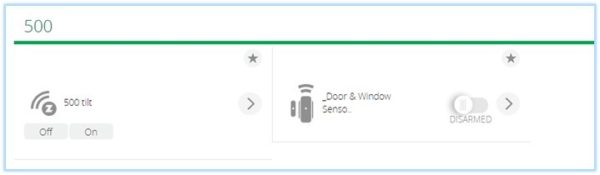
4) click on the 500 series tilt device options

5) Click on Advanced
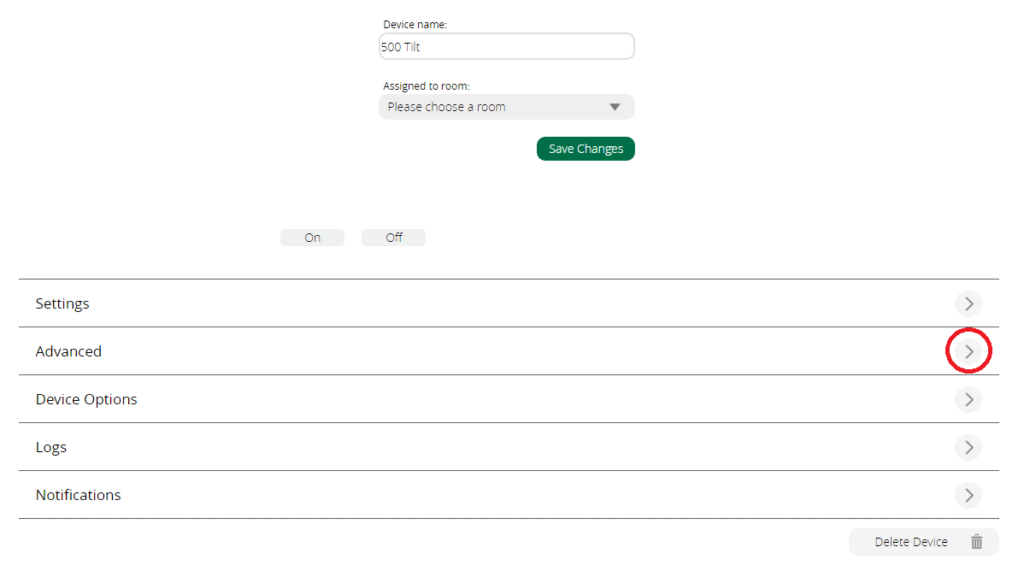
6) Change the following parameters to match the following and press enter:
device_json : D_DoorSensor1.json
category_num : 4
subcategory_num : 1

7) The device should now show up as a door window sensor.
